2

How To Delete A Website
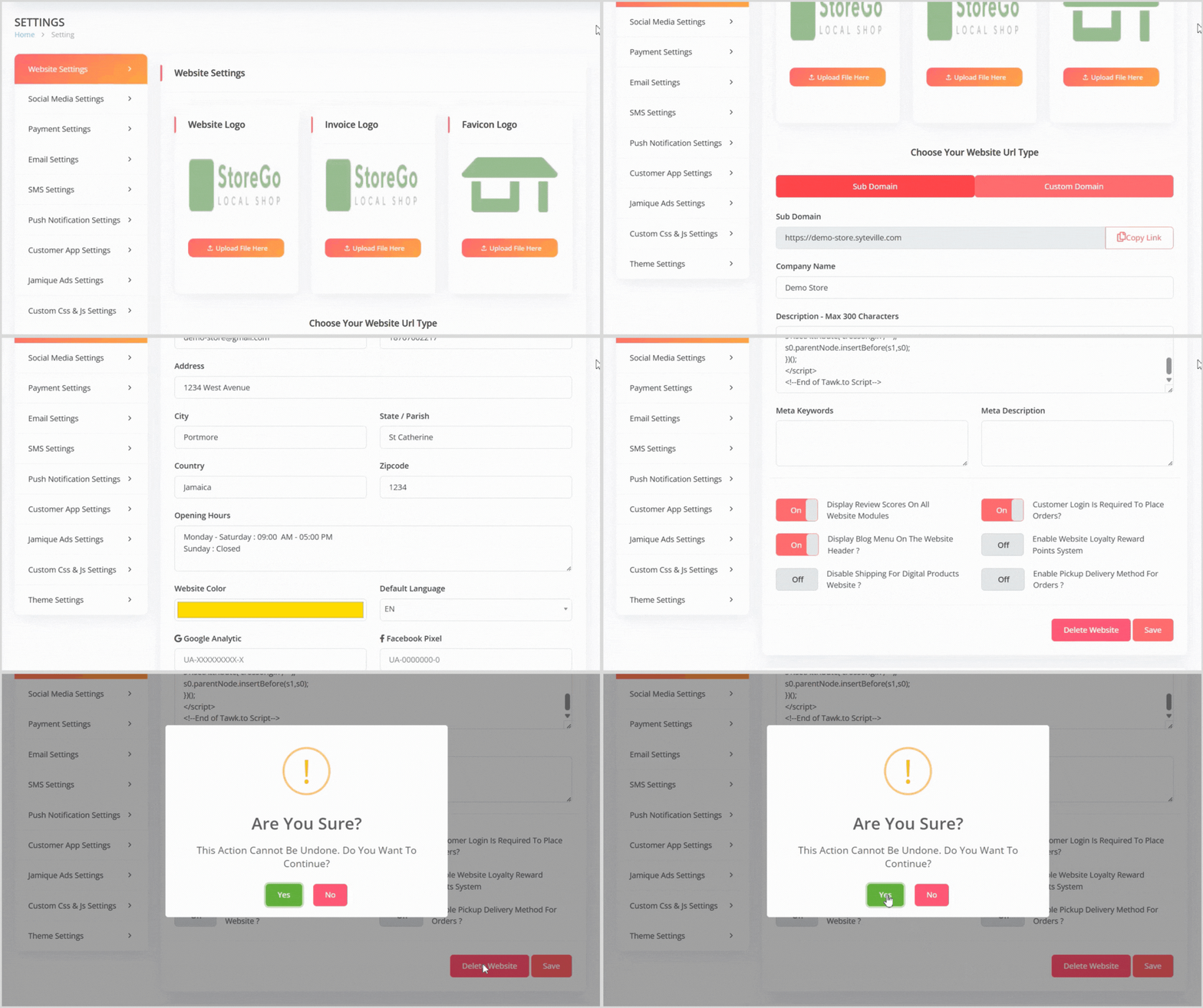
If you wish to delete your website:

  1. On the Website Settings page, locate the Delete Website button.

  2. Click the button to initiate the deletion process. A confirmation pop-up will appear, warning that the action cannot be undone.

  3. Confirm the deletion to remove the website.


Note: If you have multiple websites, you must log into each website’s dashboard separately and repeat the process to delete each one. If you have only one website, deleting it will also delete your Syteville account.

Was this article helpful?

0 out of 0 liked this article