Subscription Plan
The Plans feature in Syteville allows you to operate your websites by subscribing to a hosting plan. Plan management is located under the Plans tab in the Left Sidebar. Syteville offers four plans to suit different business needs: Free Trial, Starter, Premium, and Enterprise. This guide explains how to purchase a plan, renew a plan, and view your payment history.
Accessing Plan Settings
Navigate to Plans: In the Left Sidebar, click Plans to access the subscription plans page.
Syteville offers four subscription plans:
- Free Trial: A 30-day trial, automatically activated when you create your account.
- Starter: A monthly plan ideal for small businesses, allowing up to 50 posts per module.
- Premium: A monthly plan offering up to 500 posts per module.
- Enterprise: A yearly plan with unlimited posts per module.
Please see here for the full plan details
Purchasing a Plan
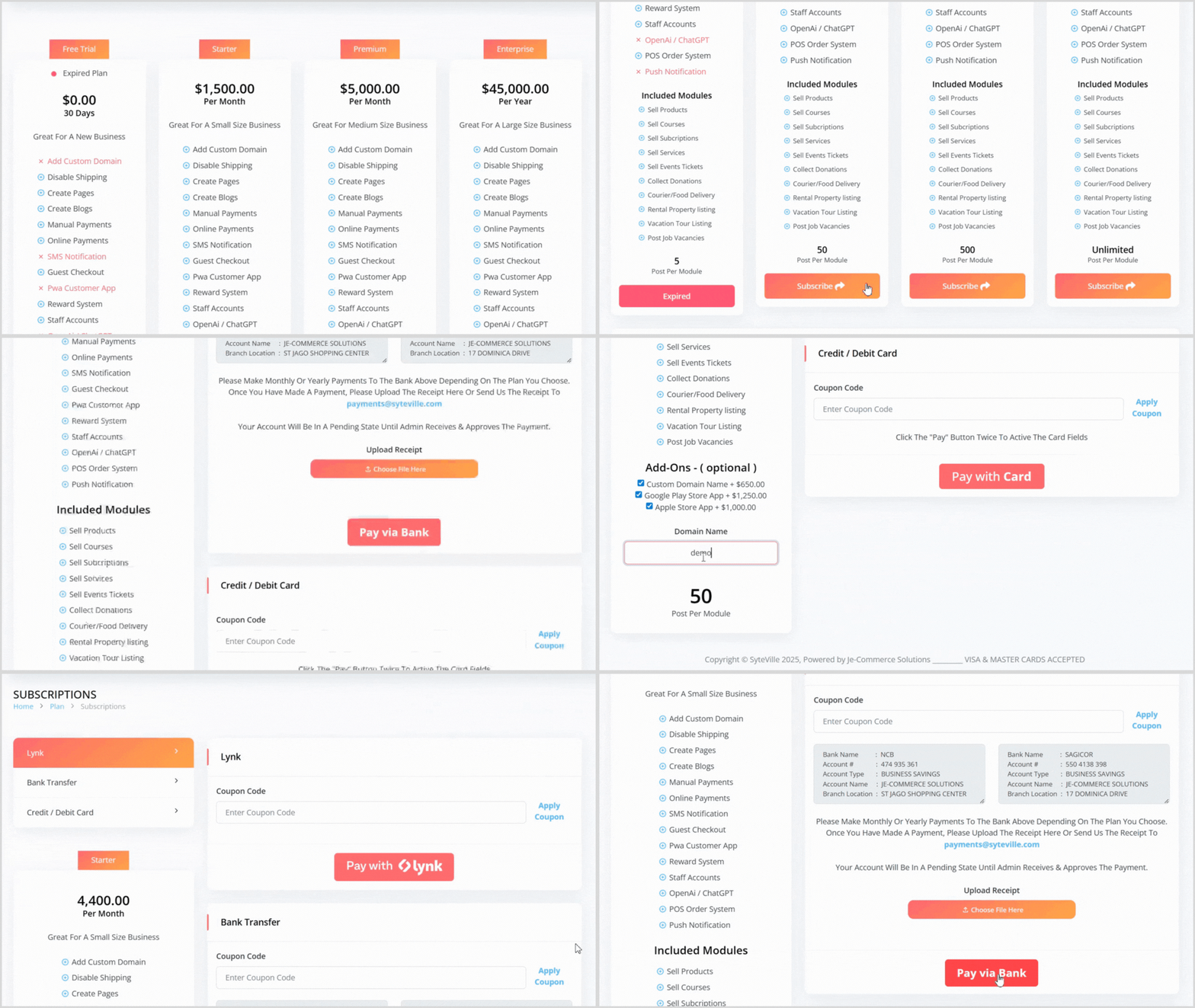
On the Plans page, view all available plans at the top.
Select the desired plan by clicking the Subscribe button, which will take you to the plan details and payment page.
On the payment page:
Add-ons: Choose optional add-ons by checking the available checkboxes.
Payment Options: Select a payment option and follow its specific instructions.
Once satisfied with the plan and add-ons, click the selected payment option button to complete the payment process.
Renewing a Plan
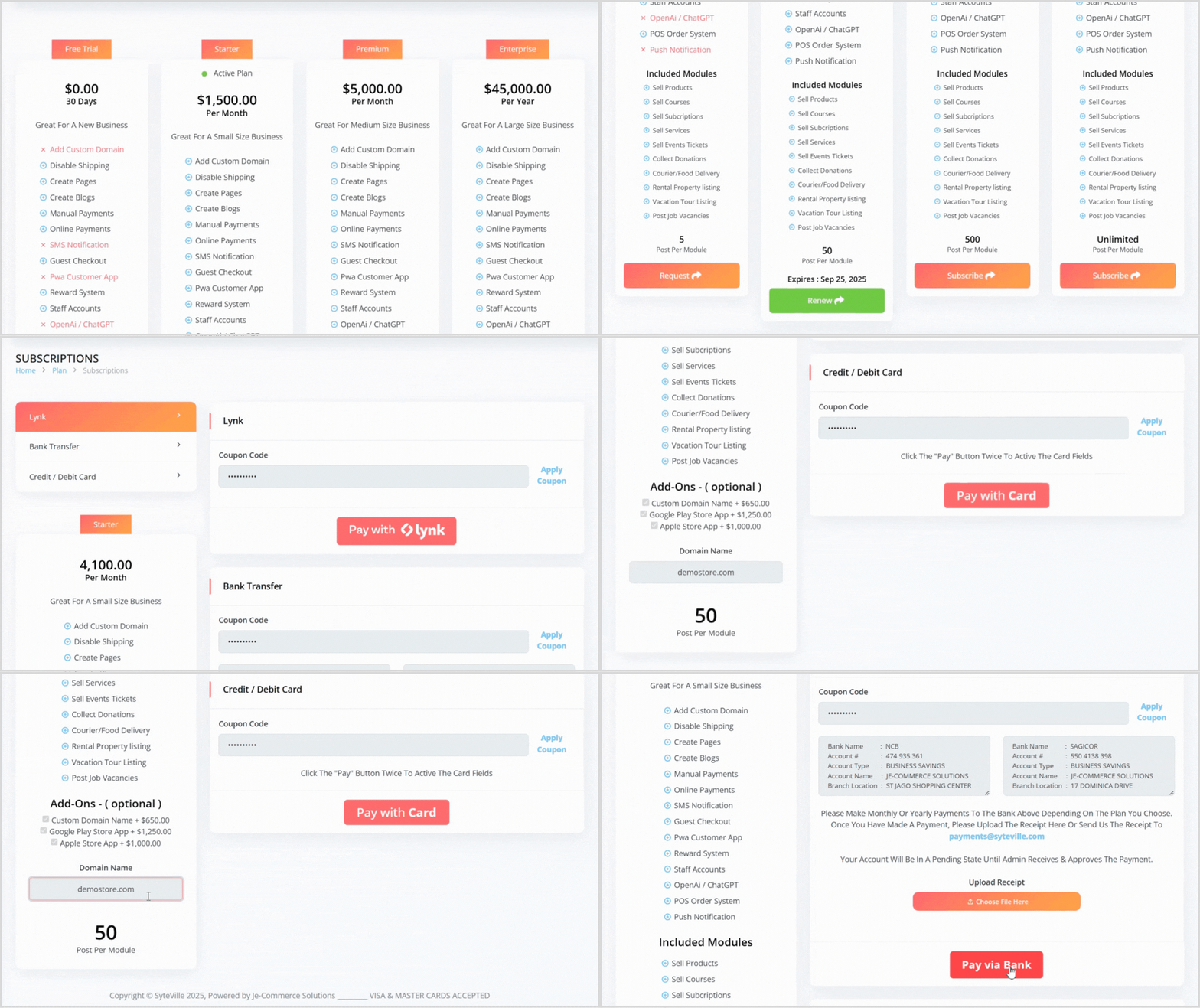
On the Plans page, locate your current plan and click the green Renew button.
This will take you to the plan details and payment page, where any previously selected add-ons are automatically checked for convenience.
Review and select a payment option, then follow the specific instructions for the chosen payment option, and then click the corresponding button to renew the plan.
Viewing Payment History

On the Plans page, scroll to the bottom to find the Payment History section.
The payment history is displayed in a table with nine columns:
ID: Unique identifier for the payment.
Date: Date of the payment.
User: Name of the user who placed the subscription order.
Website: The website associated with the payment.
Plan: The subscribed plan (e.g., Starter, Premium, Enterprise).
Total: Total amount paid (addons and discounts included).
Payment Type: Method used for payment (e.g., bank transfer, credit card).
Coupon: Any coupon applied to the payment.
Receipt: Links to view the bank receipt (for bank transfer payments) or plan receipt for reporting purposes.
Keep Your Websites Running
Choosing and managing the right plan in Syteville ensures your website operates smoothly and meets your business needs. Whether you’re starting with the Free Trial or scaling up to the Enterprise plan, you can easily purchase, renew, and track your payment history from the Plans tab.