Shipping Locations
In the Left Sidebar, click Modules, then select Shipping to access the shipping setup page.
Creating a Shipping Location
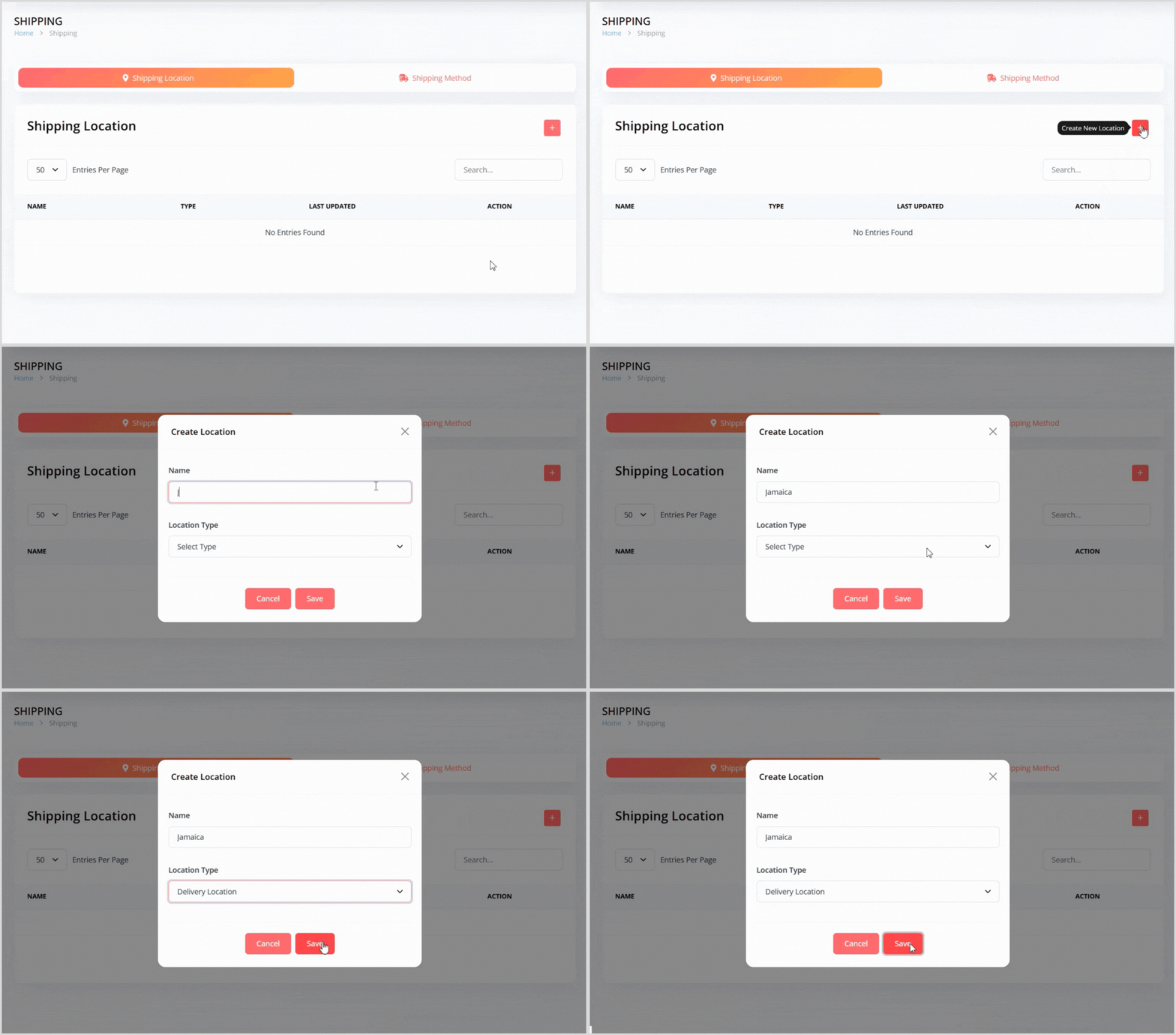
On the Shipping page, click the plus + icon button on the right to open a pop-up for creating a new location.
Enter the following details:
Name: Provide a name for the shipping location (e.g., "Jamaica", "USA").
Location Type: Select either Delivery Location or Pickup Location.
Click the Save button to create the location. It will now appear in the shipping locations list.
Editing a Shipping Location
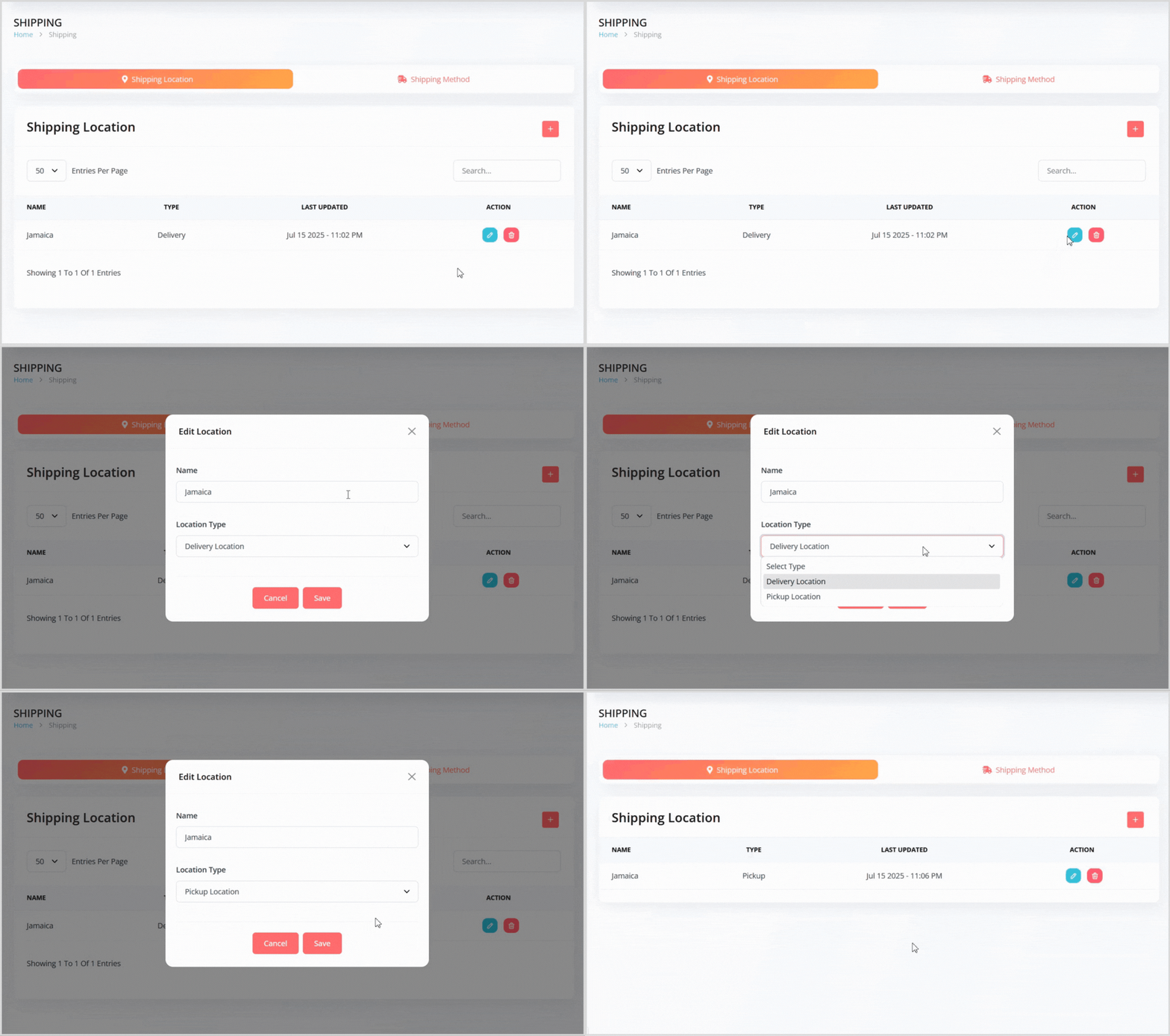
In the shipping locations list, find the location you want to edit.
Click the blue pencil icon button to the right of the location to open a popup with the location details pre-populated.
Update the Name or Location Type as needed.
Click the Save button to apply your changes.
Deleting a Shipping Location
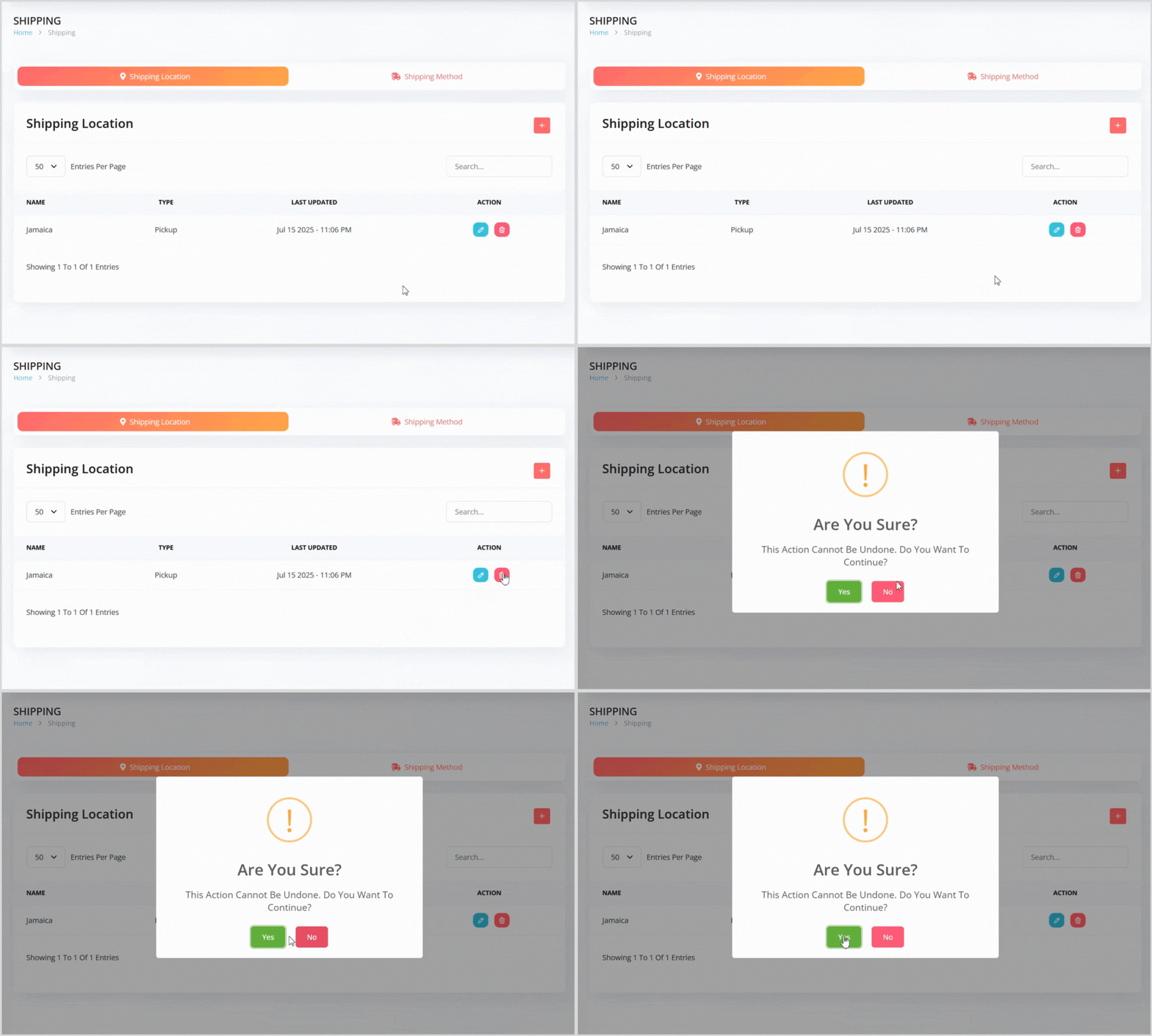
In the shipping locations list, find the location you want to delete.
Click the red trash can icon button to the right of the location.
A confirmation pop-up will appear, warning that the action cannot be undone. Click the green Yes button to confirm deletion.