Shipping Methods
Creating a Shipping Method
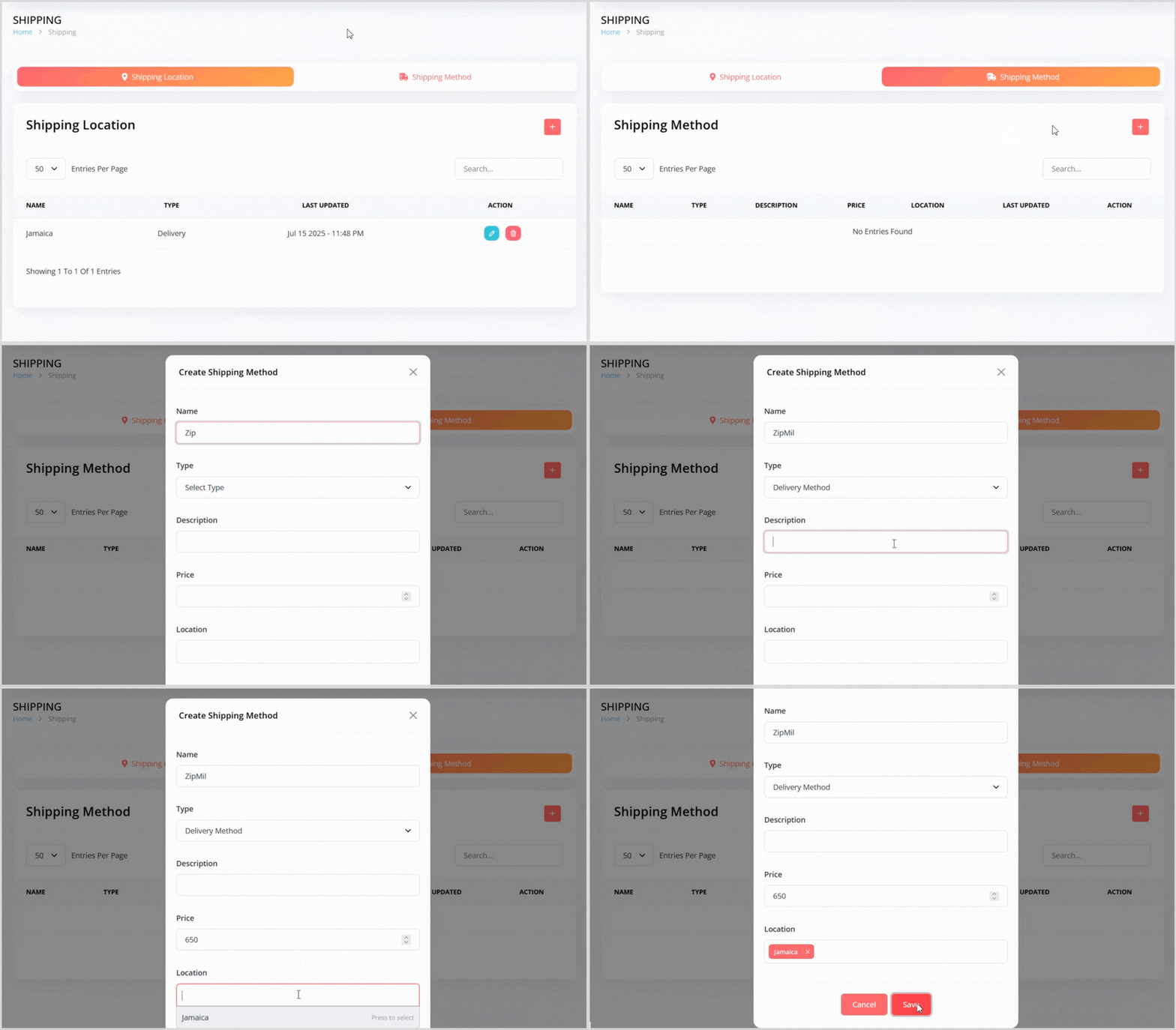
Click the plus + icon button to open a pop-up for creating a new shipping method.
Enter the following details:
Name: Provide a name for the shipping method (e.g., "ZipMail", "Standard Delivery").
Type: Select either Delivery Method or Pickup Method.
Description: Add a brief description of the shipping method. It will be shown to customers
Price: Set the cost for this shipping option.
Locations: Select one or more previously created shipping locations to link to this method.
Click the Save button to create the shipping method. It will now appear in the list of shipping methods.
Editing a Shipping Method
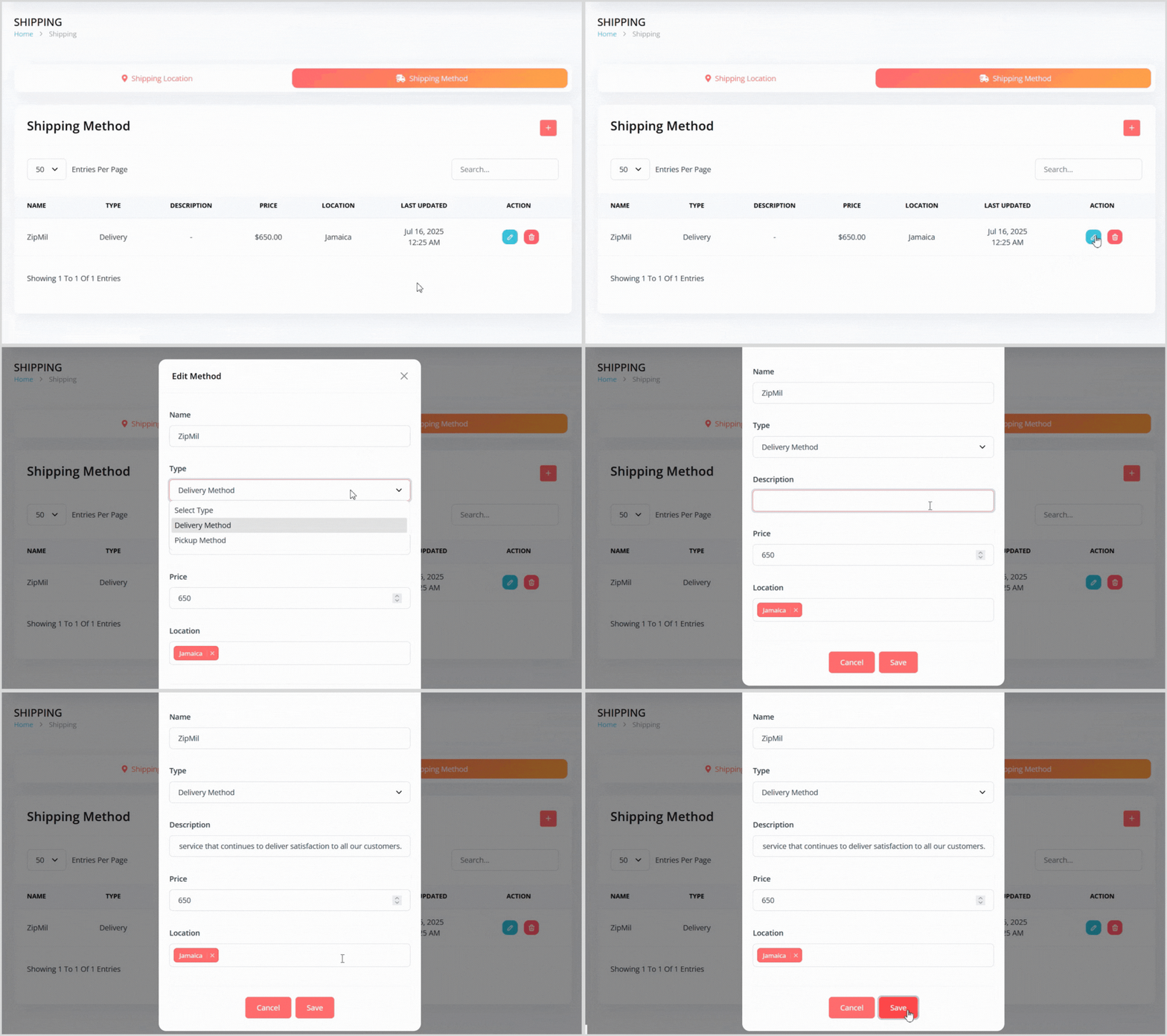
On the Shipping Method tab, find the method you want to edit in the list.
Click the blue pencil icon button to the right of the method to open a pop-up with the method details pre-populated.
Update any details, such as Name, Type, Description, Price, or linked Locations.
Click the Save button to apply your changes.
Deleting a Shipping Method
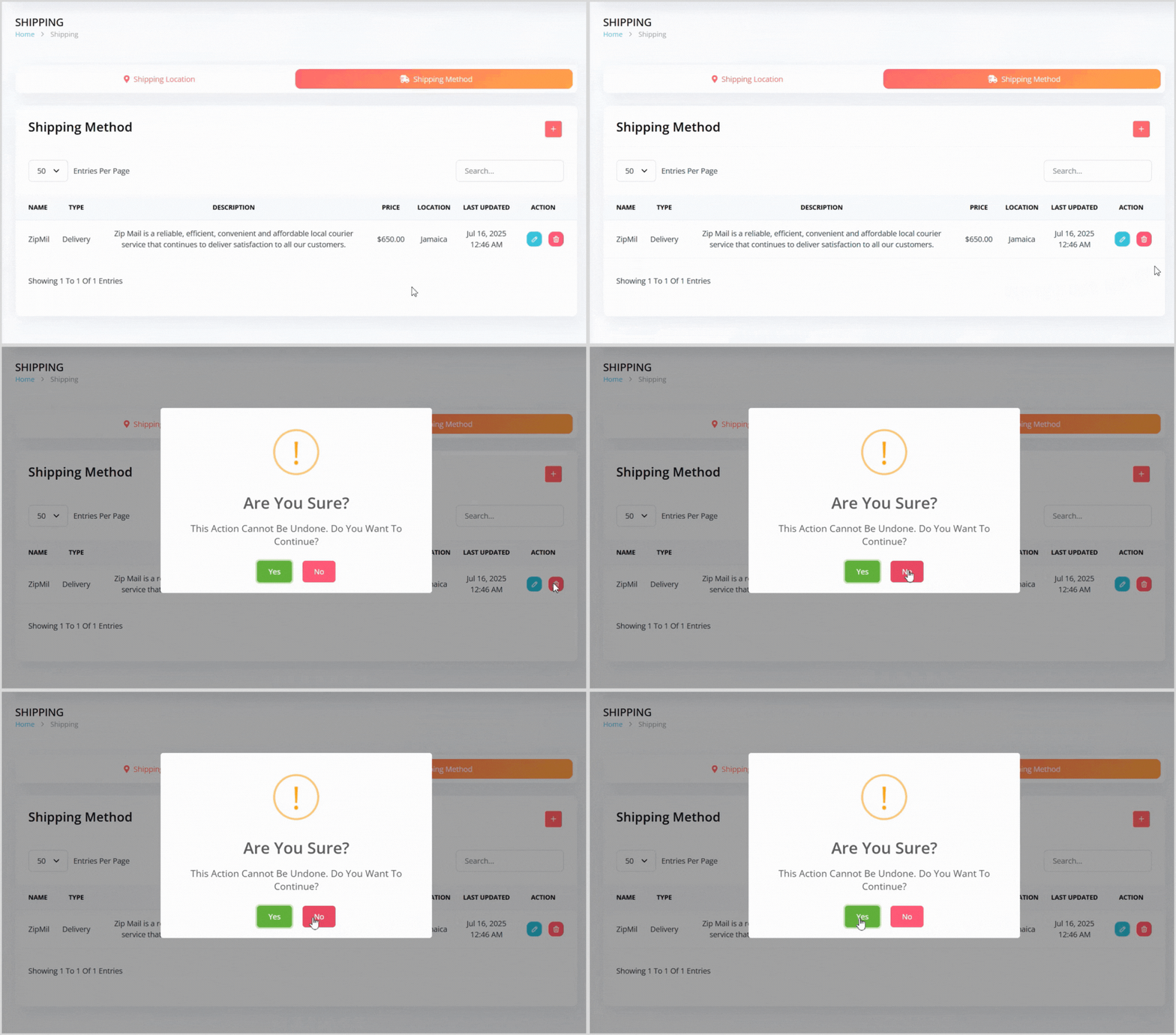
On the Shipping Method tab, find the method you want to delete in the list.
Click the red trash can icon button to the right of the method.
A confirmation pop-up will appear, warning that the action cannot be undone. Click the green Yes button to confirm deletion.