Assign Orders
The orders feature in Syteville enables you to review and assign orders to delivery drivers, helping you efficiently manage and process your website’s orders.
Assign a Delivery Driver
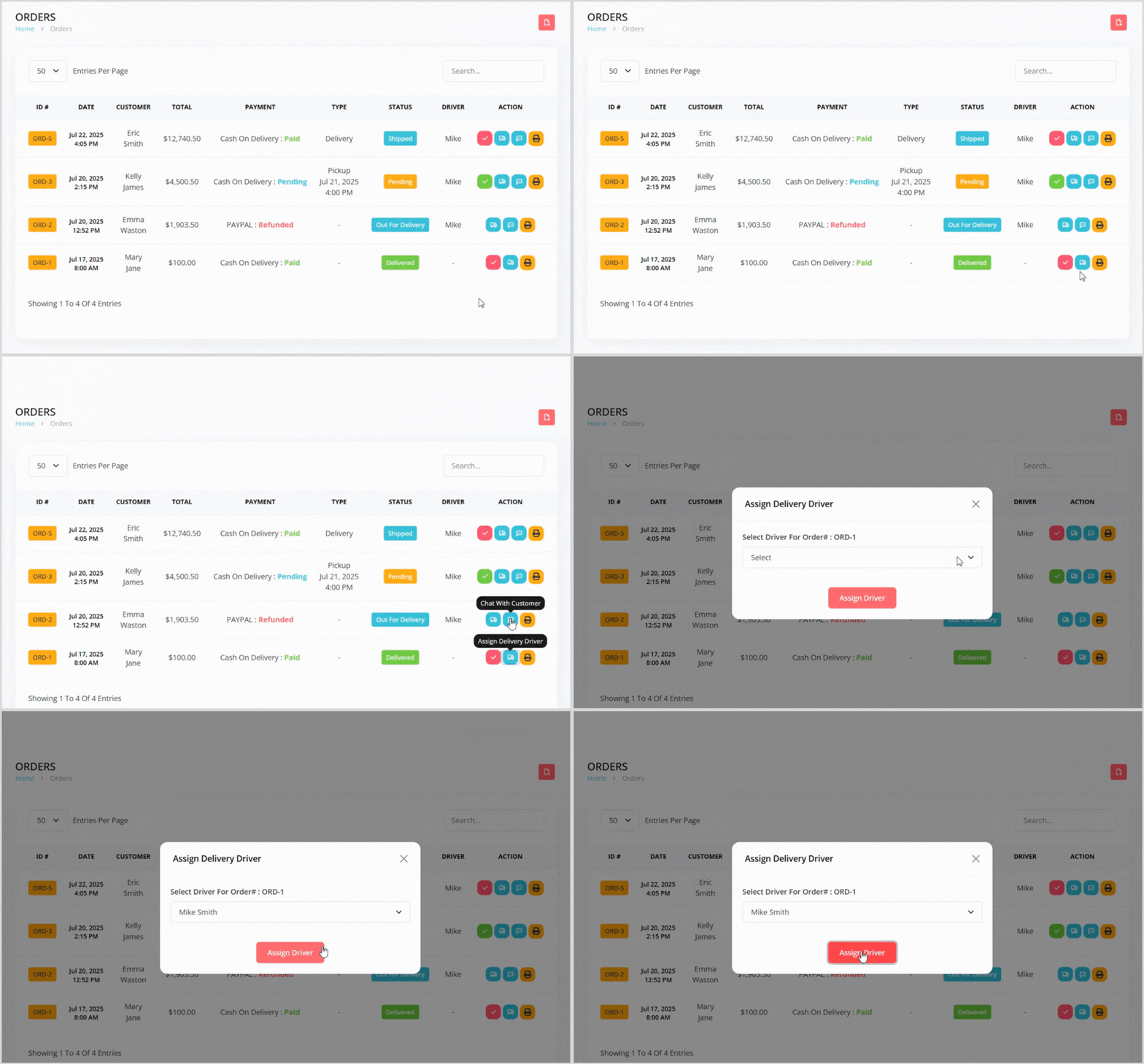
On the orders index page, locate the order you want to assign a driver.
Click the blue truck icon button to the right to open a pop-up.
Select a driver from the list and click the Assign Driver button.
This sends an alert to the assigned driver, notifying them of the new delivery order.