Update Orders
Orders can be updated by modifying the order status or payment status.
Updating Order Status
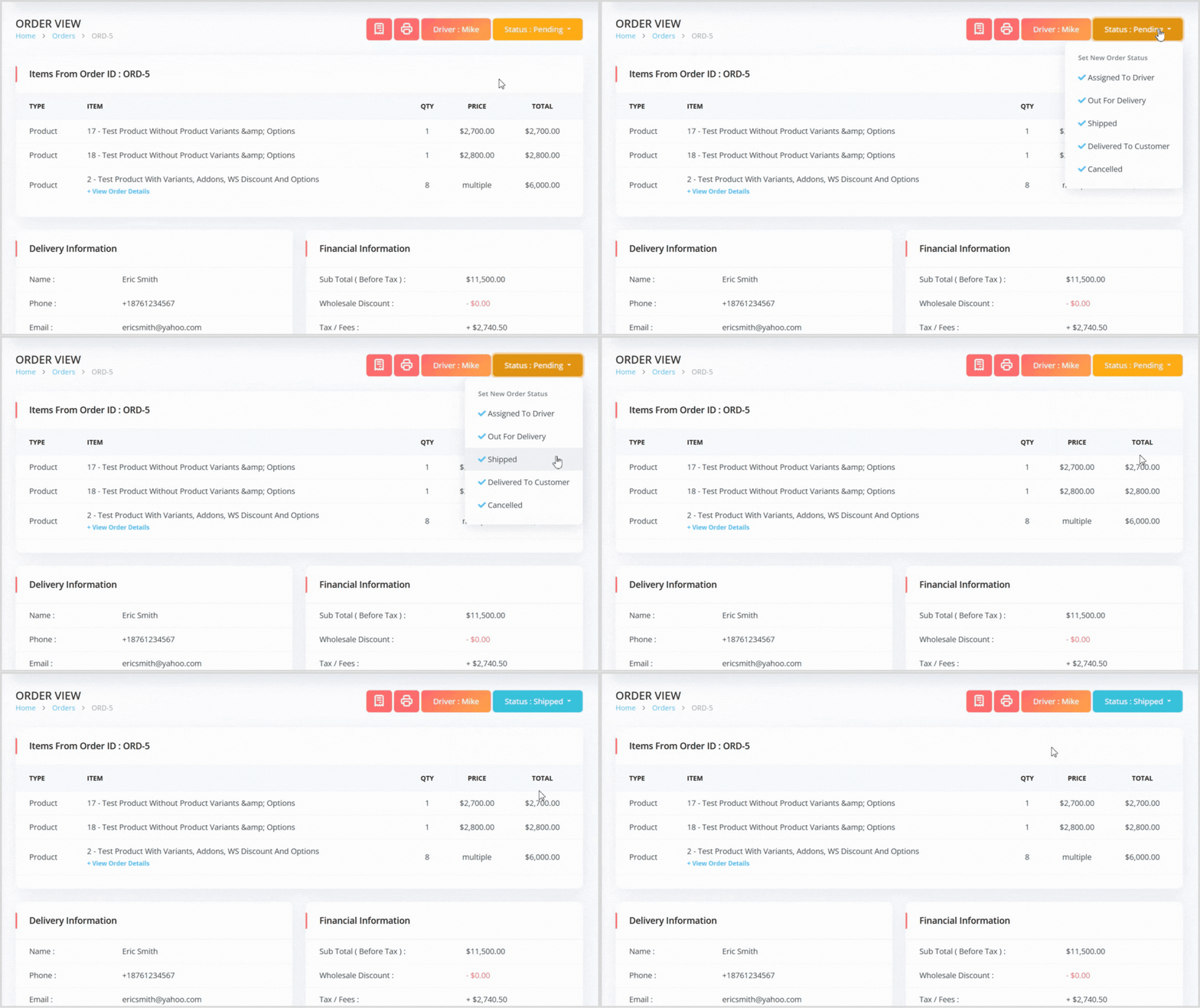
On the order view page, locate the current order status (typically Pending initially) on the right.
Click the status to view available options, which vary based on the Order Type and item types:
Delivery Orders with at Least One Product: Assigned To Driver, Out For Delivery, Shipped, Delivered To Customer, Cancelled.
Pickup Orders: Ready For Pickup, Picked Up By Customer, Cancelled.
Digital Orders (Non-Product Items): Completed, Cancelled.
Select the appropriate status to update the order.
Updating Payment Status
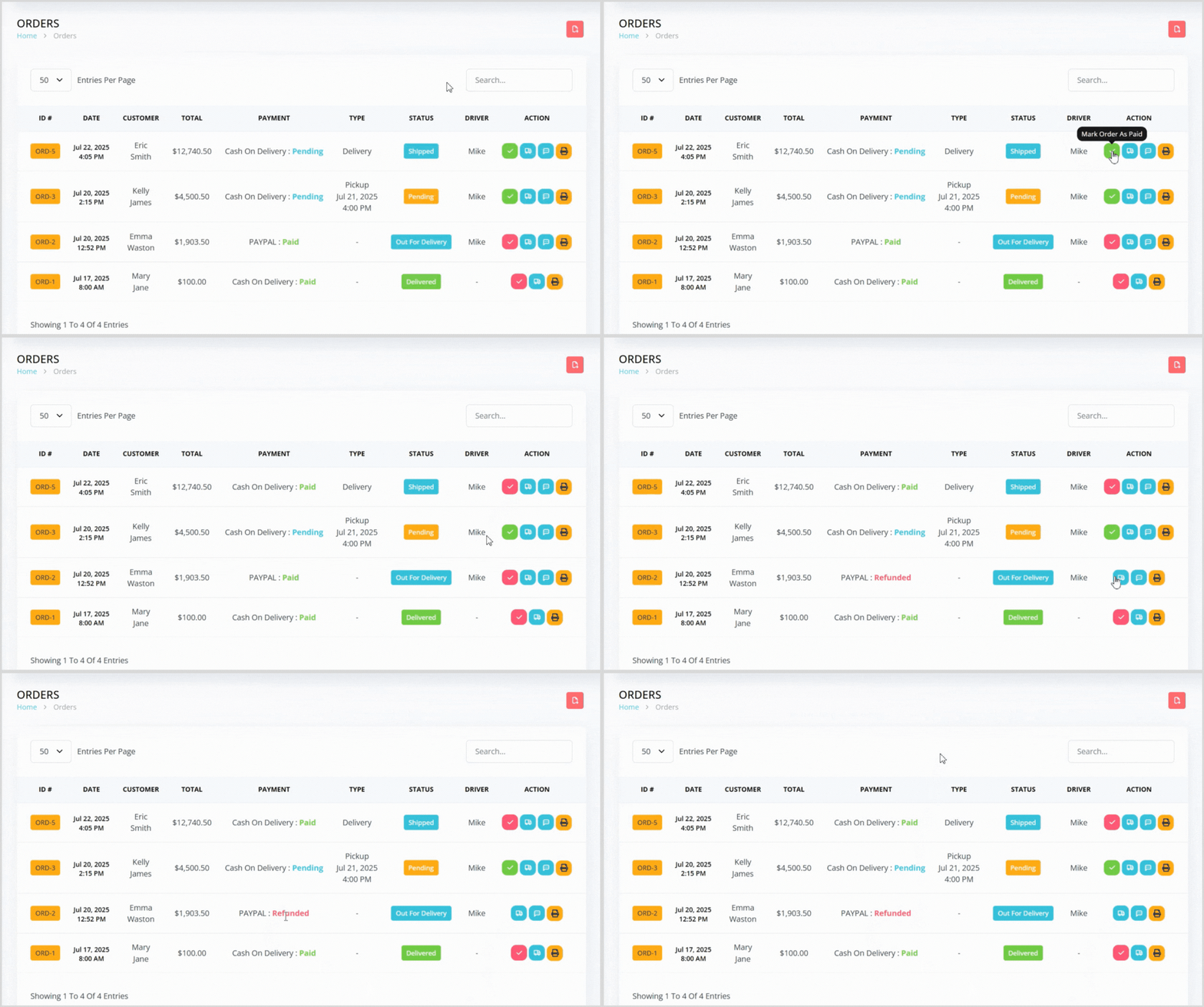
On the orders index page, locate the order you want to update.
To the right, find the green or red check mark icon to mark the order as Paid or Refunded.
The order’s payment status will update immediately, and you’ll return to the orders index page.