View Orders
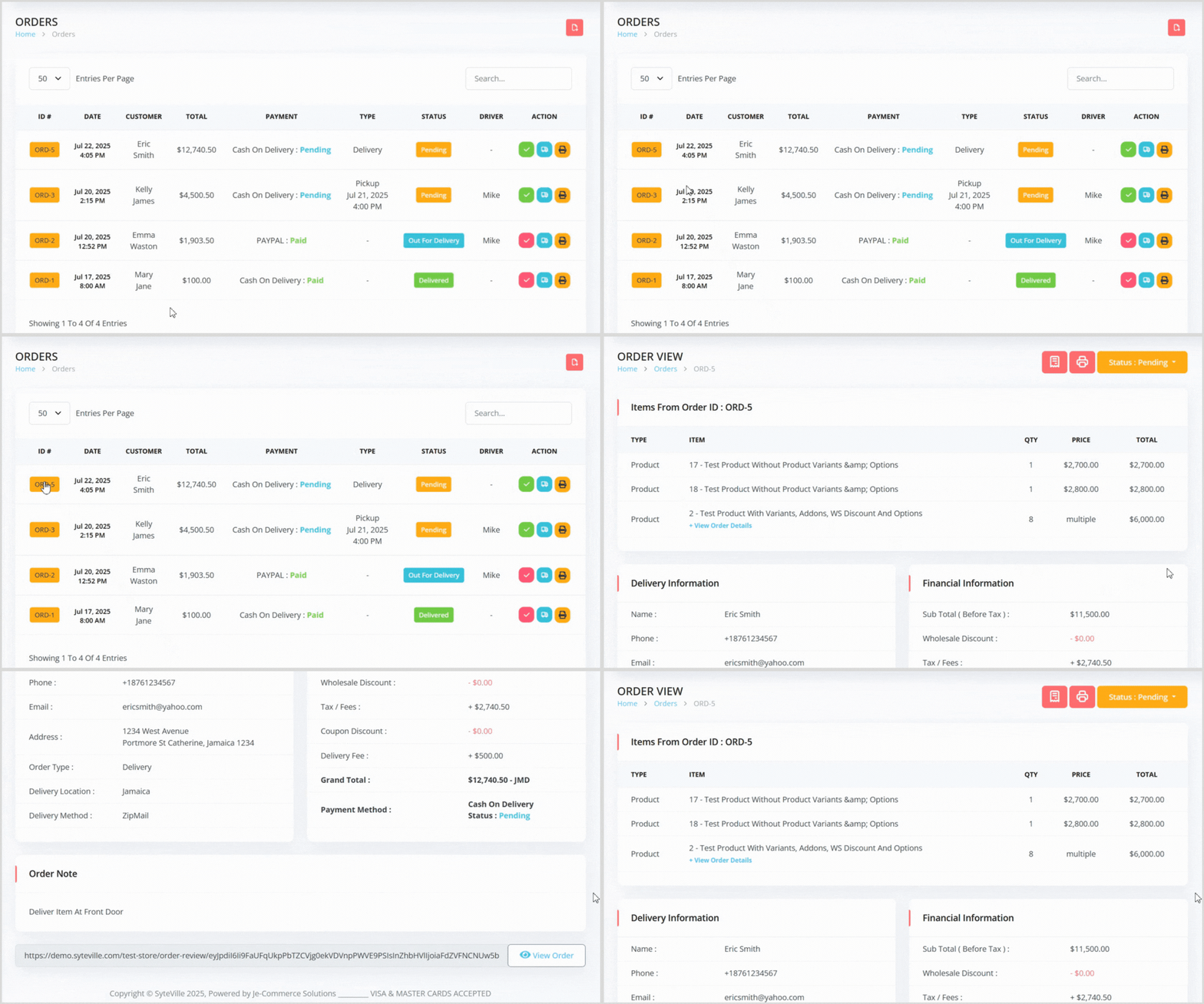
1. Order Items: Lists all items in the order. Some items may display a "+ View Order Details" link, indicating variants, add-ons, or custom data. Click the link to view specific details for that item.

1. Item Type: Specifies the type of item that was purchased.
- Product: Physical or digital products (Product Module)
- Course: Online or offline courses (Course Module)
- Package: Subscription plans (Subscription Module)
- Service: Services offered (Service Module)
- Event: Event tickets (Events Module)
- Campaign: Donations (Donation Module)
- Food: Meals or menu items (Courier/Food Delivery Module)
- Villa: Vacation rentals (Vacation Rental Module)
- Tour: Travel packages (Travel Agency Module)
3. Qty (Quantity): Total number of units purchased.
- If the item includes multiple variants or addons, all quantities are combined. Example: If a user selects 3 variants and 3 addons (1 of each), the total quantity would be 6.
- If the item has no variants or addons, a fixed price is shown.
- If the item includes variants or addons, this field will show "Multiple".
- For standard items: e.g., 3 units at $150 each = $450.
For items with variants/addons: e.g.,
Variant A: $100 × 1 = $100, Variant B: $150 × 2 = $300, Addon A: $200 × 2 = $400, Addon B: $250 × 1 = $250, Total = $1,050.
Item with variant, addons & custom data


Delivery Data: Includes customer name, phone, email, address, and Order Type (Digital Order, Digital Product, Delivery, or Pickup). For Pickup orders, you’ll see the Pickup Location and Pickup Method instead of delivery details.
Financial Data: Includes subtotal, wholesale discount, tax/fees, coupon discount, delivery fee (or pickup fee for pickup orders), grand total, and payment method.
3. Notes Area: Displays any notes left by the customer. If no notes are left this section will not exist and there will only be the Item, Delivery and Financial information sections

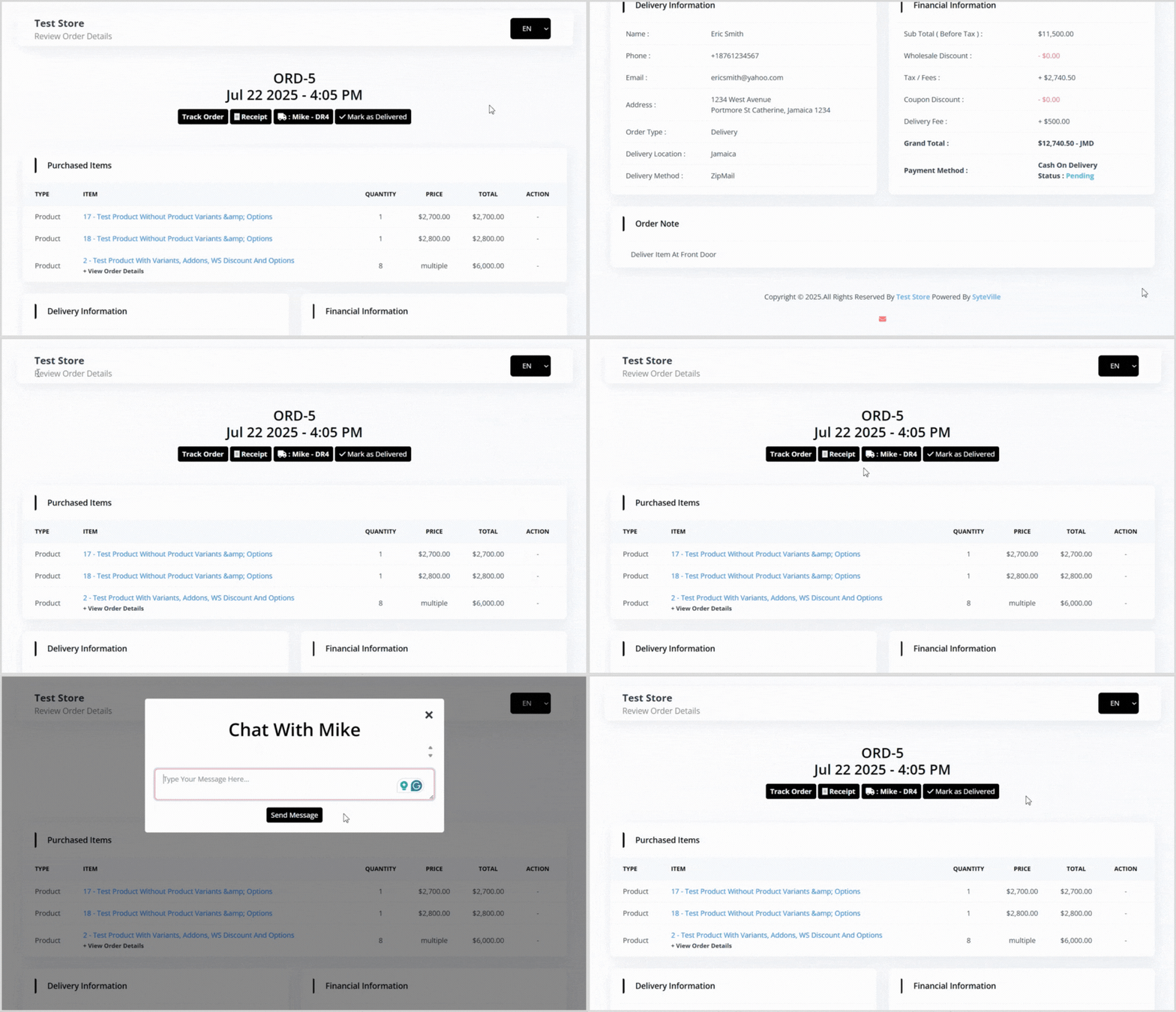
At the bottom of the Order Details page, a "View Order" link is available. This allows you to copy and share a link with customers (especially those without accounts) to view and review their order.

Order Review Page