Forgot Password
If you’ve forgotten your Syteville password, don’t worry! Our straightforward password reset process will have you back in your account in no time. This guide explains how to use the "Forgot Password" feature to regain access to your Syteville account.
Initiating the Password Reset
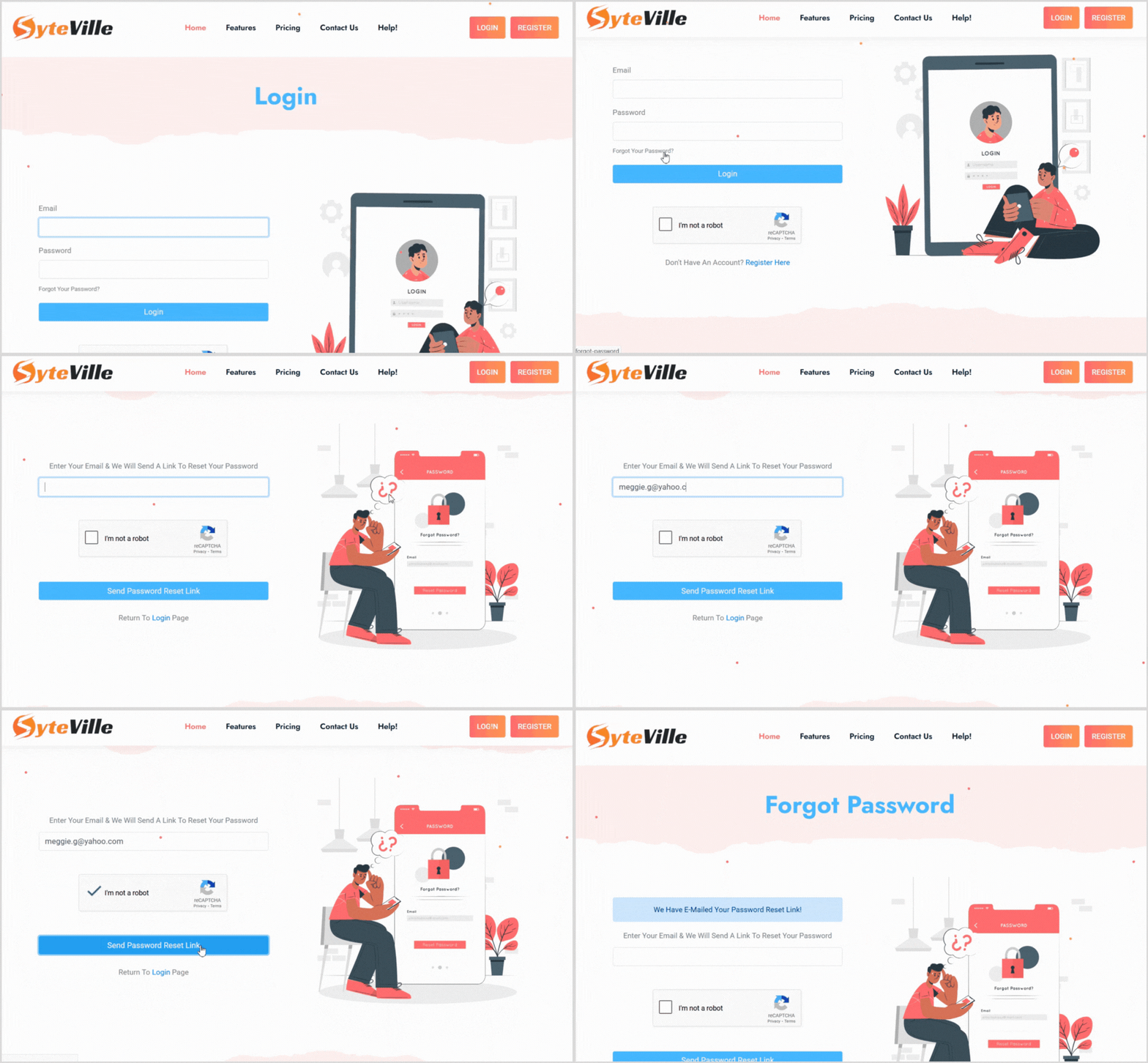
Go to the Login Page: Visit https://syteville.com and navigate to the login page.
Click the Forgot Password Link: Locate and click the "Forgot Your Password?" link below the login fields.
Enter Your Email: On the password reset page, input the email address associated with your Syteville account.
Complete the reCAPTCHA: Check the reCAPTCHA box to verify you’re not a bot.
Submit: Click the submit button to request a password reset. A password reset email will be sent to your provided email address.
Resetting Your Password
Once you’ve requested a password reset, follow these steps to update your password

- Email: Re-enter the email address associated with your account.
- New Password: Create a new, secure password.
- Confirm Password: Re-enter the new password to confirm.
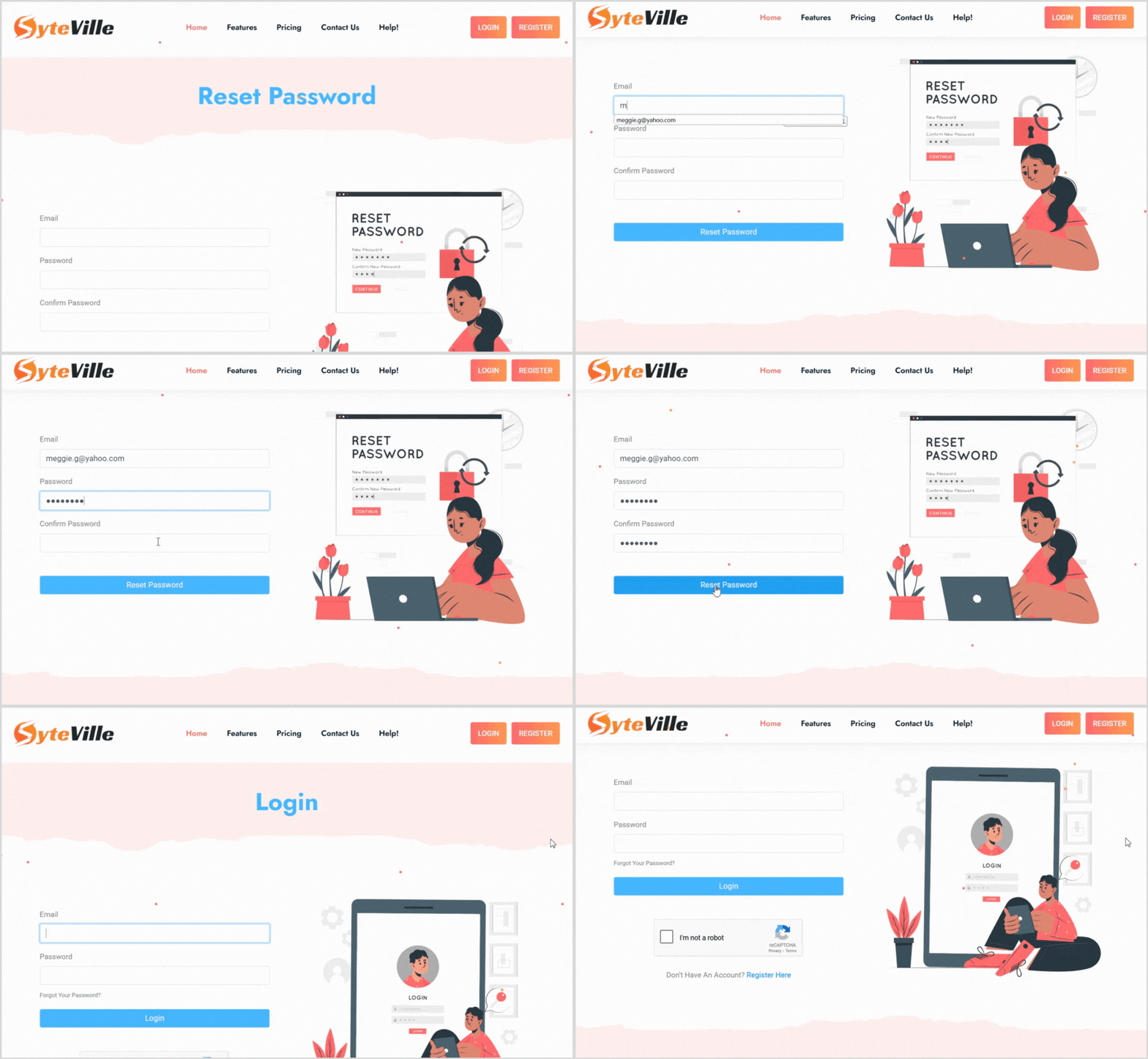
3. Submit the New Password: Click the "Reset Password" button to update your account.
4. Return to Login: After successfully resetting your password, you’ll be redirected to the login page. Use your email and new password to log in.
Get Back to Building!
Once you’ve reset your password and logged in, you can continue creating and managing your website with Syteville’s easy-to-use tools. If you encounter any issues or don’t receive the reset email, contact our support team for assistance — we’re here to help you keep building your dream website!