Blogs
The Blogs feature in Syteville enables you to engage your customers by sharing tips, recommendations, or announcements about your products or services. Blog creation is located under the Modules tab in the Left Sidebar. This guide explains how to create, edit, and delete blogs to keep your audience informed and connected with your brand.
Navigate to Blogs: In the Left Sidebar, click Modules, then select Blog to access the blog setup page.
Creating a Blog
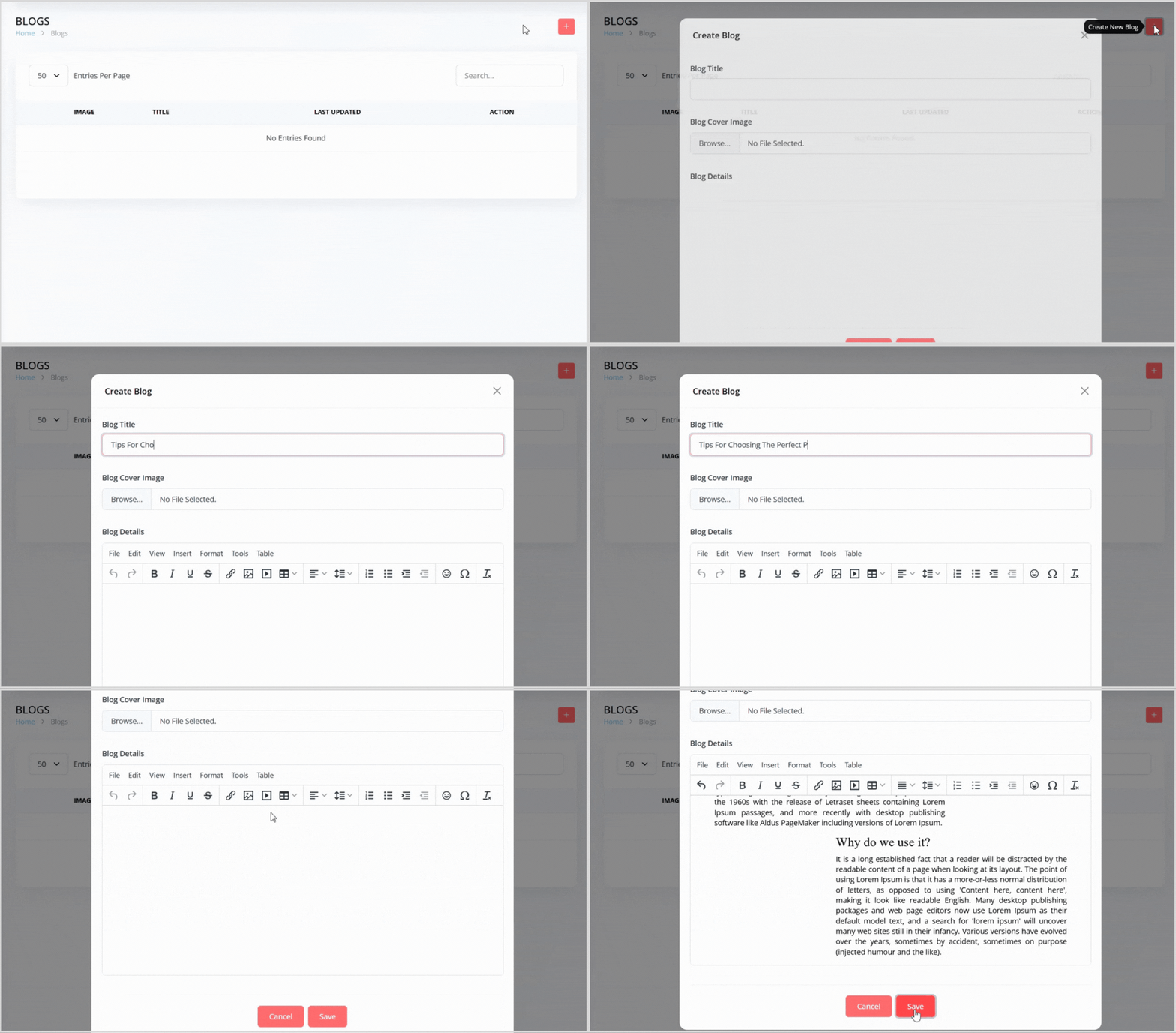
On the Blog page, click the plus + icon button on the right to open a pop-up for creating a new blog post.
Enter the following details in the pop-up:
Blog Title: Provide a title for the blog post (e.g., "Top Tips for Choosing the Perfect Product").
Blog Cover Image: Upload an image to serve as the cover for your blog post.
Blog Details: Enter the content of the blog in the text box area (e.g., text, tips, announcements, or formatted content).
Click the Save button to create the blog post. It will now appear in the blog list.
Editing a Blog
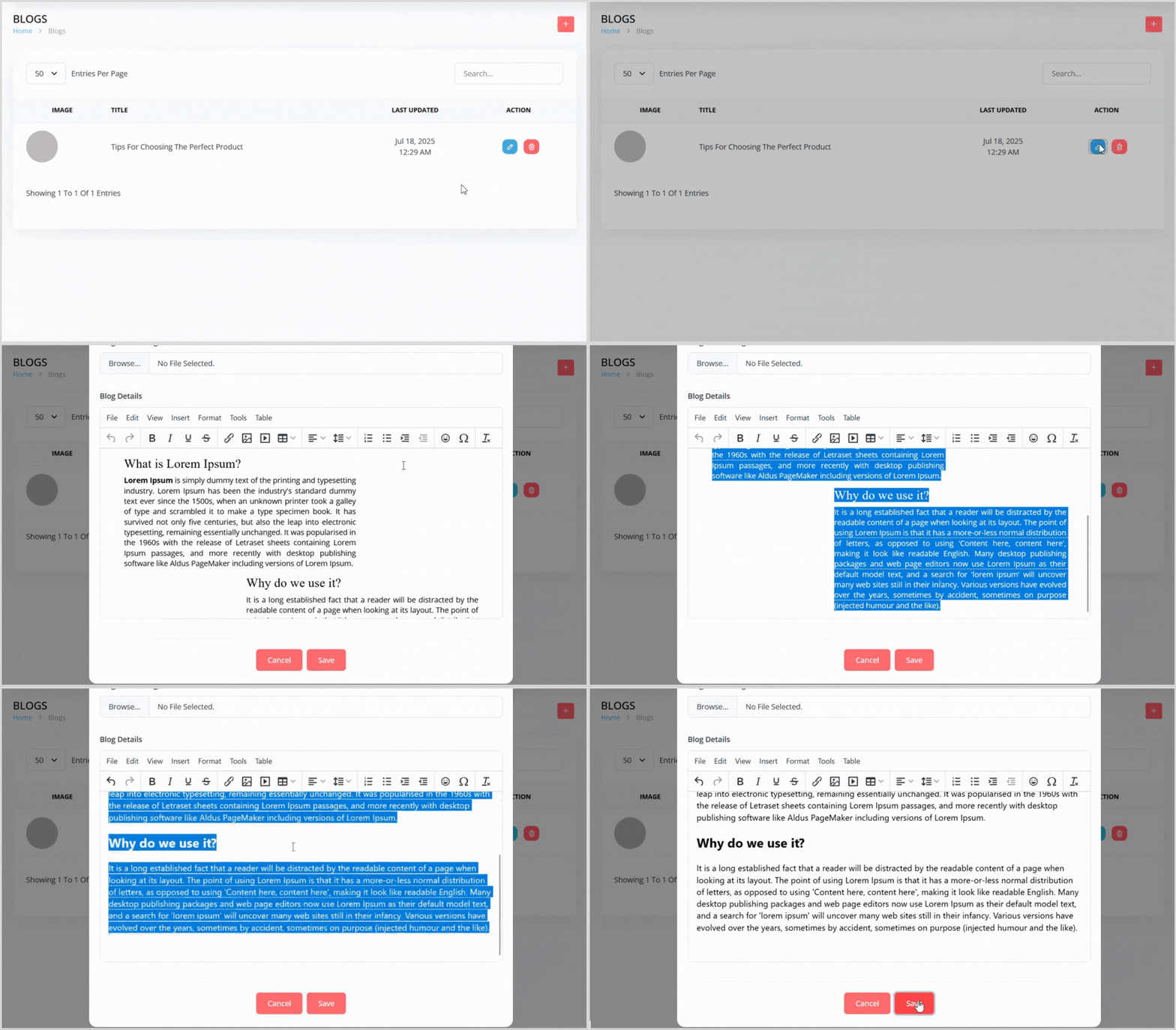
In the blog list, find the blog post you want to edit.
Click the blue pencil icon button to the right of the blog post to open a pop-up with the blog details pre-populated.
Update the Blog Title, Blog Cover Image, or Blog Details as needed.
Click the Save button to apply your changes.
Deleting a Blog
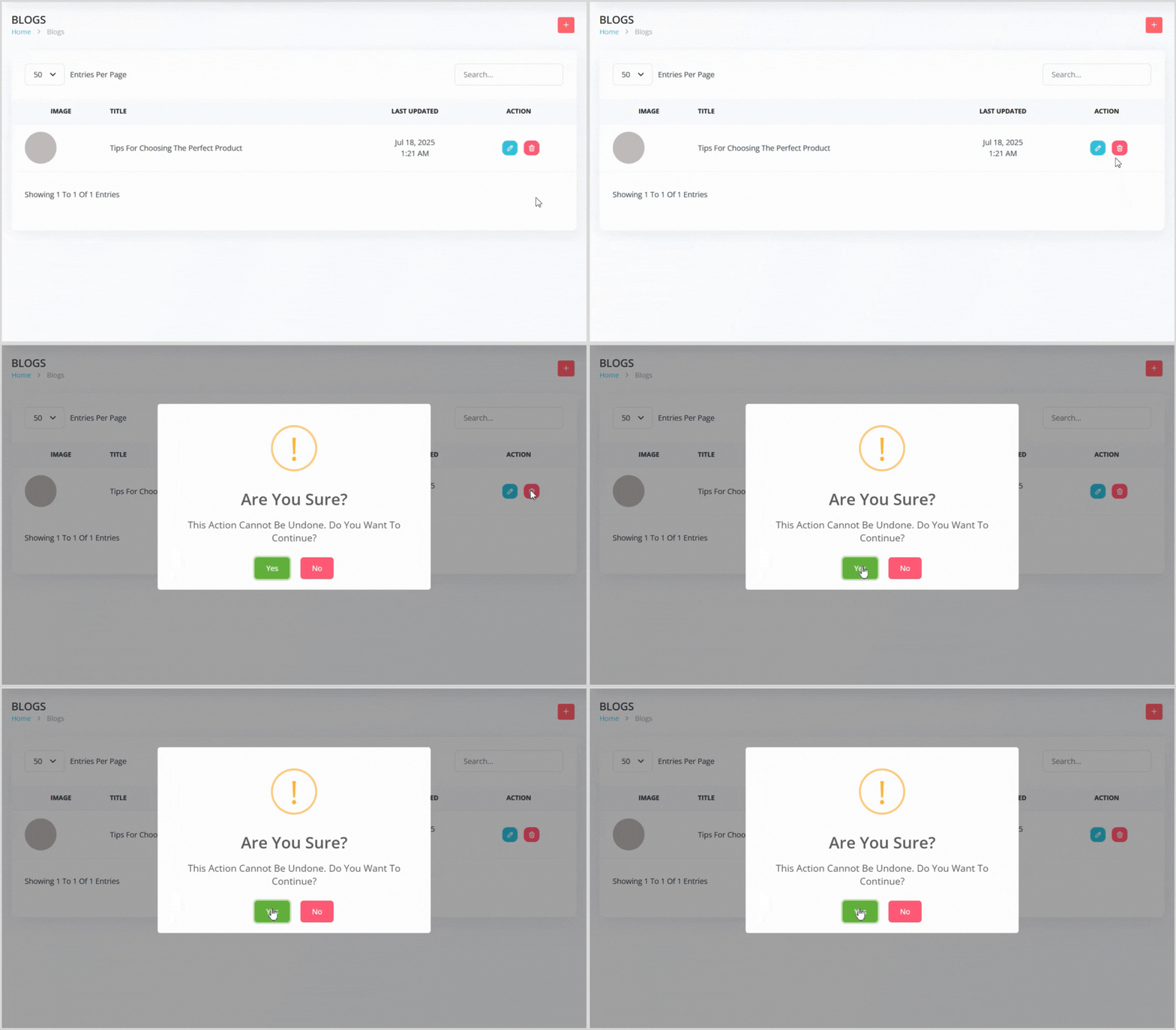
In the blog list, find the blog post you want to delete.
Click the red trash can icon button to the right of the blog post.
A confirmation pop-up will appear, warning that the action cannot be undone. Click the green Yes button to confirm deletion.
Engage Your Audience with Blogs
Blogs in Syteville are a powerful way to share valuable content, promote your products or services, and build a stronger connection with your customers. By creating and managing blog posts, you can keep your audience informed and engaged with your brand.