Custom Page
The Custom Page feature in Syteville allows you to extend your website by adding additional pages, such as "About Us," "Shipping Rates," or other tailored content. Custom Page creation is located under the Modules tab in the Left Sidebar. This guide explains how to create, edit, and delete custom pages to enhance your website’s functionality and user experience.
Navigate to Custom Pages: In the Left Sidebar, click Modules, then select Custom Page to access the custom page setup page.
Creating a Custom Page
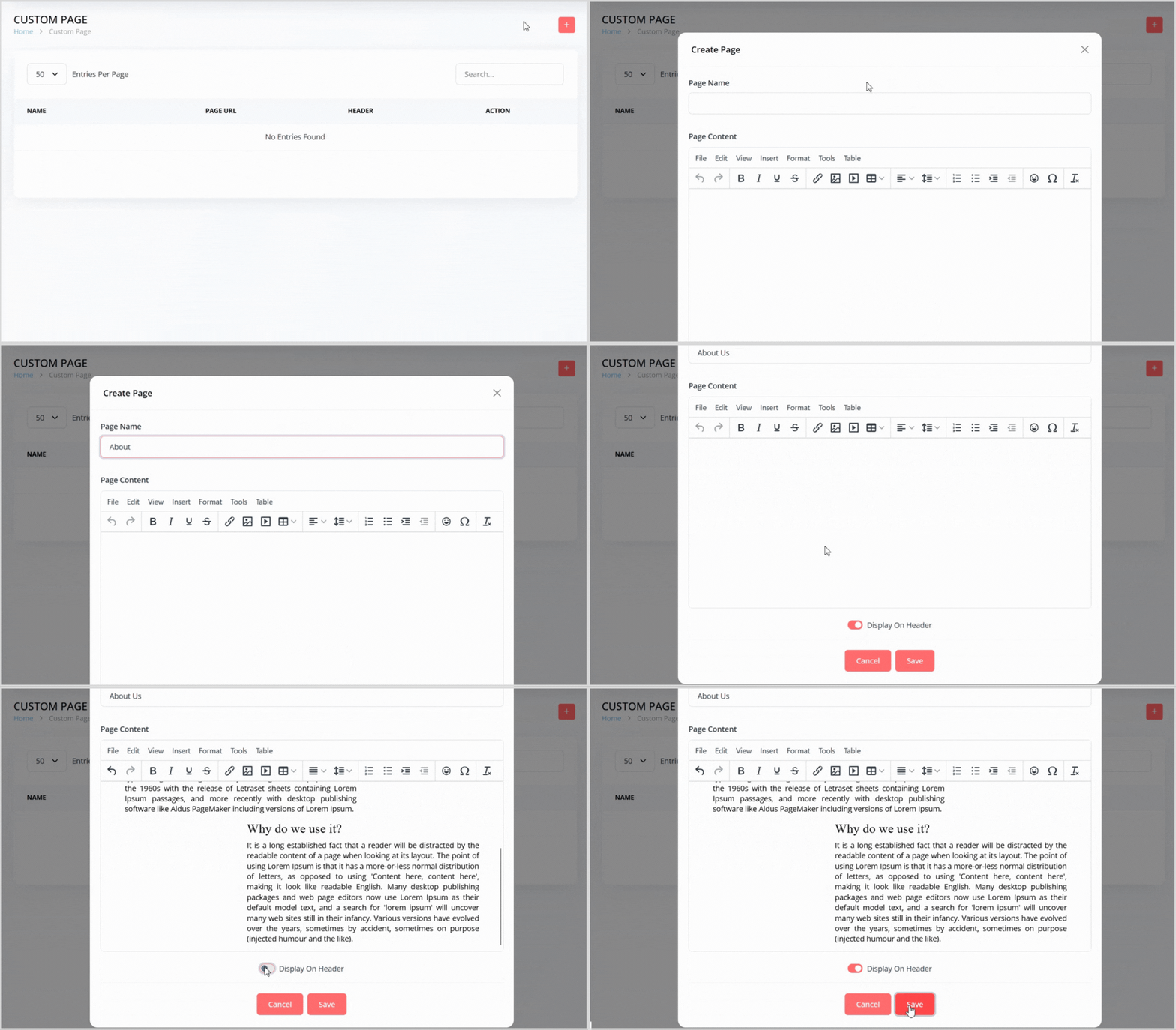
On the Custom Page page, click the plus + icon button on the right to open a pop-up for creating a new custom page.
Enter the following details in the pop-up:
Page Name: Provide a name for the page (e.g., "About Us" or "Shipping Rates").
Page Content: Enter the content for the page in the text box area (e.g., text, descriptions, or HTML for formatting).
Display on Header (Toggle): Enable this toggle to show the custom page link in the website’s header for easy customer access.
Click the Save button to create the custom page. It will now appear in the custom page list.
Editing a Custom Page
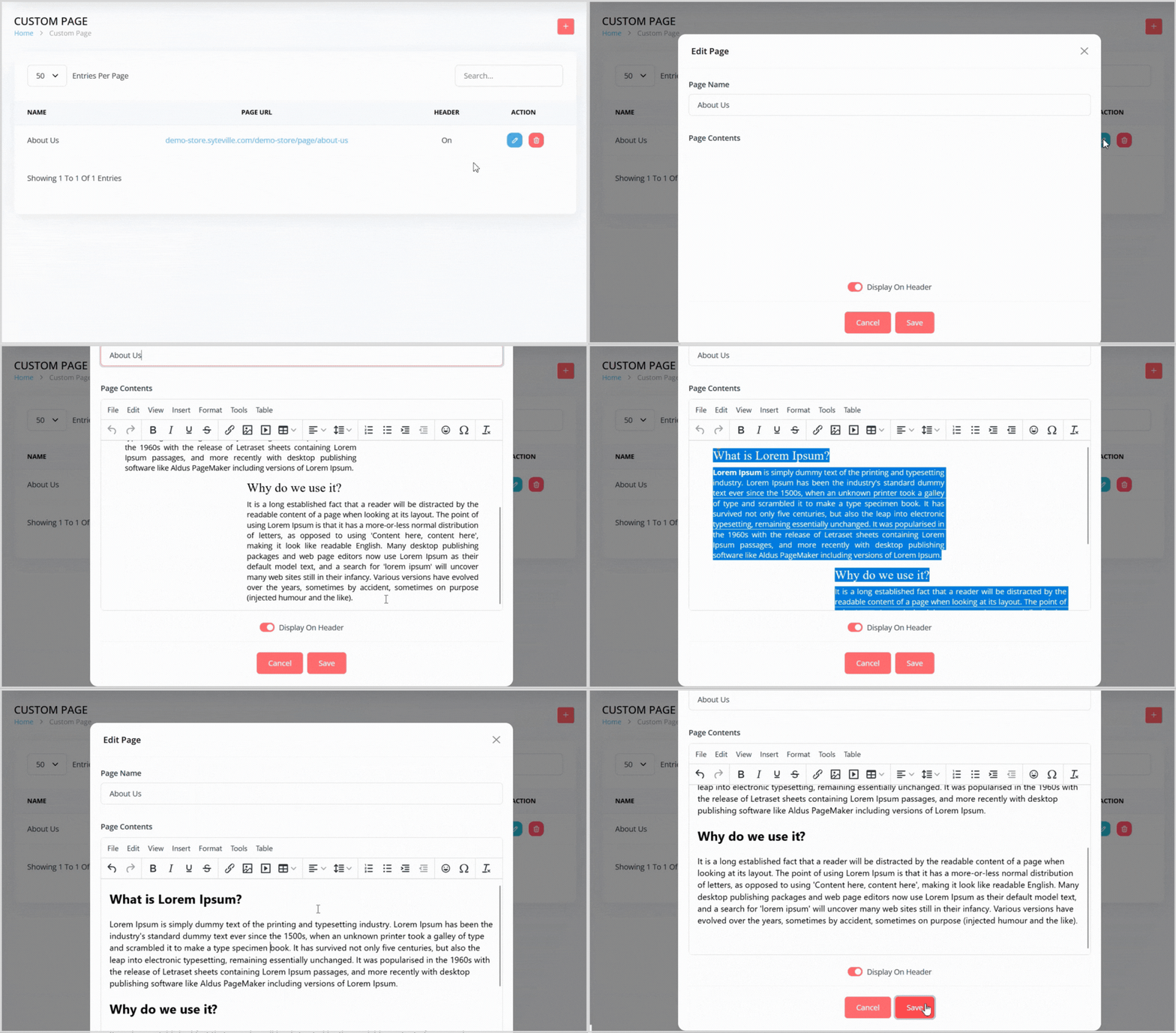
In the custom page list, find the page you want to edit.
Click the blue pencil icon button to the right of the page to open a pop-up with the custom page details pre-populated.
Update the Page Name, Page Content, or Display on Header toggle as needed.
Click the Save button to apply your changes.
Deleting a Custom Page
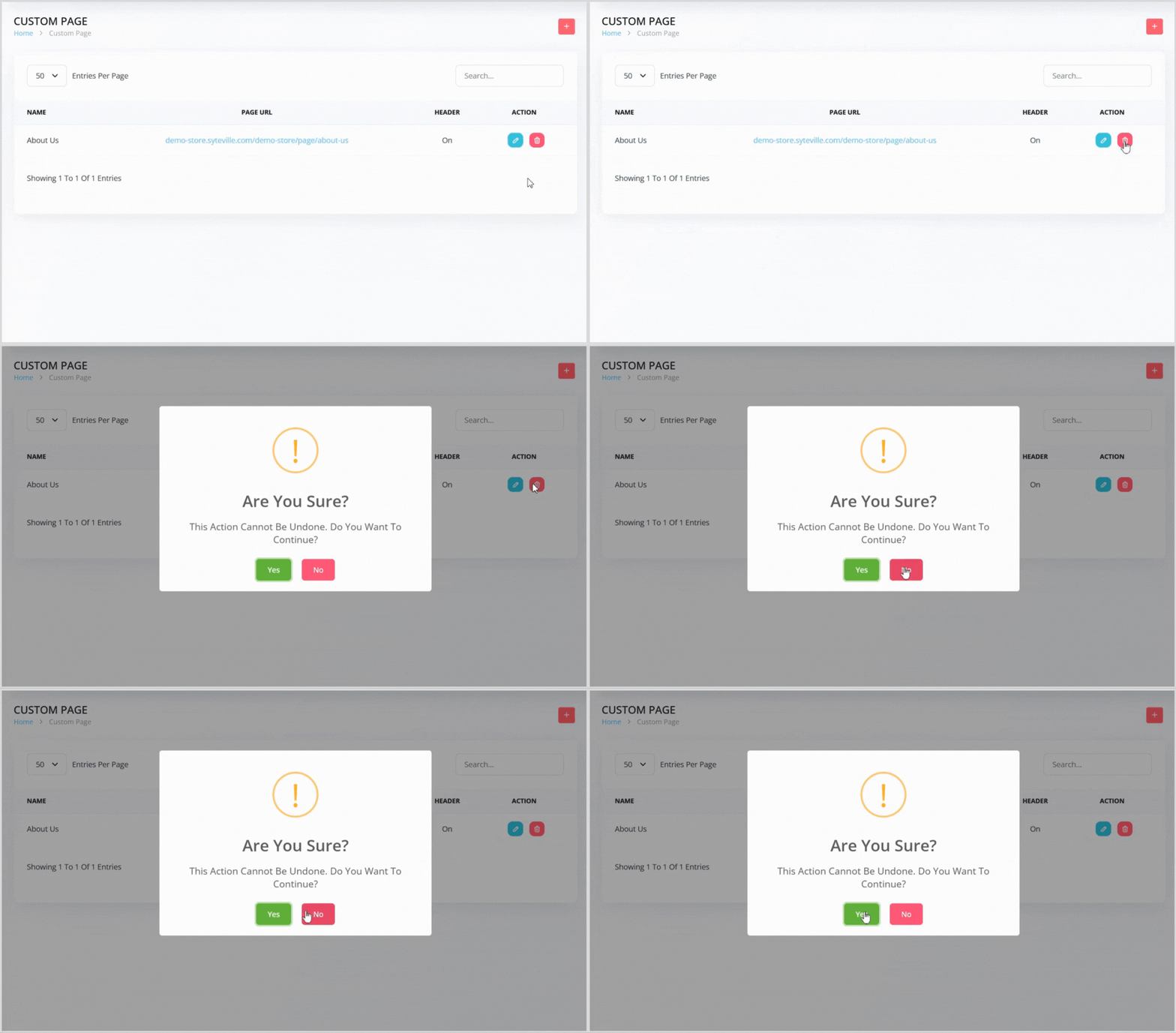
In the custom page list, find the page you want to delete.
Click the red trash can icon button to the right of the page.
A confirmation pop-up will appear, warning that the action cannot be undone. Click the green Yes button to confirm deletion.
Enhance Your Website Custom Pages
Custom Pages in Syteville allow you to provide additional information and improve navigation for your customers. By adding pages like "About Us" or "Shipping Rates," you can create a more comprehensive and engaging website tailored to your business needs.